
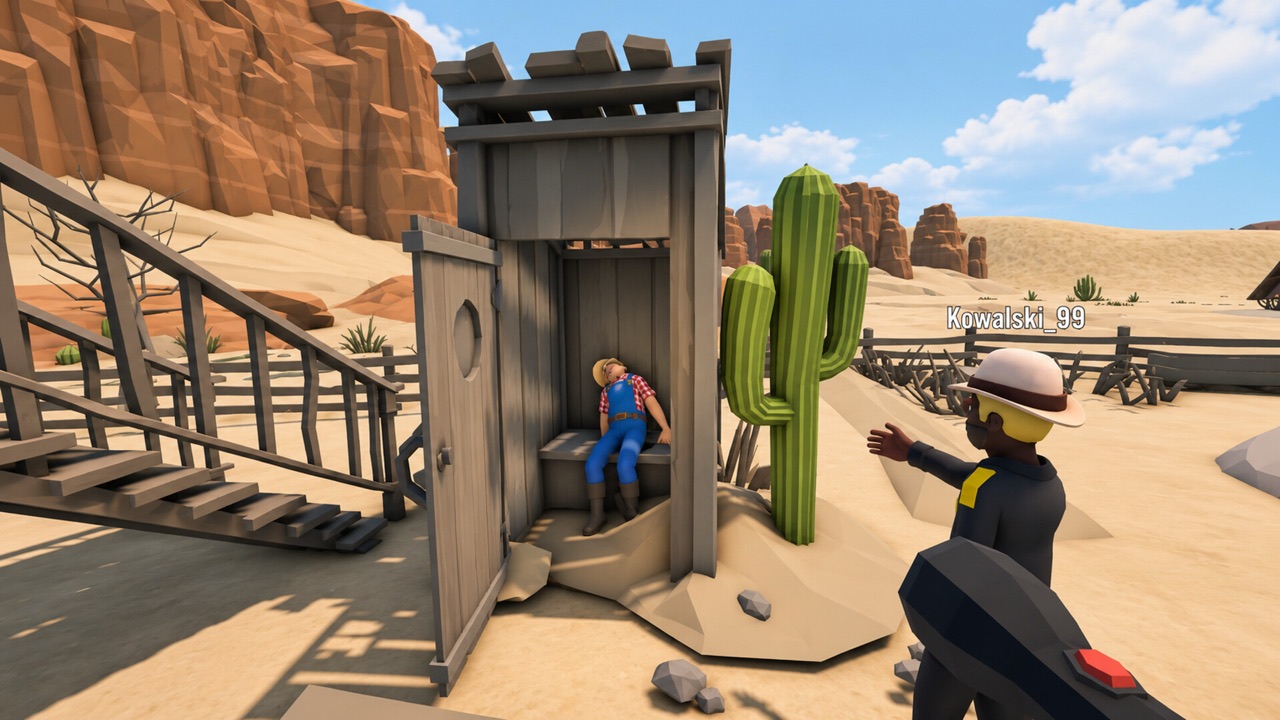
What the UV Flashlight Is For
A Landing-System trailer and HUD breakdown reports a UV light in the promotional footage. The author interprets it as a tool for revealing traces during police searches. This is a reading of pre-release visuals, not a developer statement. It fits the officer's official role of examining the crime scene carefully.
The developer confirms that the cop investigates suspicious environmental details. The Steam description lists open doors, broken objects, freshly cleaned floors and strange behaviour. Its written description leaves UV inputs and equipment slots unspecified. Our UV and cleanup tools page explains how UV relates to the suspects' cleanup.
How to Equip It: What Is Known
Landing-System's terminology guide identifies slot 5 in its pre-release HUD reading. That gives you a lead to check in your own game. It has no independent confirmation as a default binding. Treat it as something to test, not a fixed rule.
The Indie Game Scout trailer repost provides a visual reference you can inspect. No usable transcript or verified input sequence was available for it. If your build shows an equipment bar, look for the UV icon and its prompt.
- Reported lead: slot 5 in a pre-release HUD reading.
- Not confirmed: default keyboard key.
- Not confirmed: controller button.
- Not confirmed: activation or toggle behaviour.
Police Controls That Are Confirmed
Some officer inputs are documented by the developer in the October 17 demo patch. The radio is picked up with H and dropped with G. Keys 1 to 4 switch between siren modes, and sirens can be heard from 150 meters away. Handcuffing requires holding the button for two seconds.
These confirmed keys show that the police kit uses its own inputs. They do not tell us where the UV flashlight sits. See how to use handcuffs for the cuffing rules.
Using UV as Part of a Search
Your objective as the cop is finding the hidden body. Any trace-reveal tool supports that goal rather than replacing it. Start with the clues the developer names, then use UV where you suspect a cleanup. A freshly cleaned floor in an odd spot is exactly the kind of place to inspect.
Physics also leaves evidence. Knocked-over furniture or a door left open can show the path a suspect took with the body. Combine visual clues with suspect behaviour, as our police win guide explains.
On Controller
Steam lists Partial Controller Support for the full game, including Xbox and PlayStation controller families. No source documents the controller input for the UV flashlight. Partial support also means some actions may need mouse and keyboard. Read our controller support page before relying on a gamepad for the police role.
Where UV Fits in the Police Kit
The officer's job is to search every corner, track suspicious behaviour and find the body. The developer's demo patch added handcuffs, a radio and sirens to the police side. UV, as seen in promotional footage, would sit alongside those tools as a way to inspect the scene. Its exact role in the launch build is not documented.
Do not expect UV alone to win a match. Finding the body is the only confirmed win condition. Use any inspection tool to narrow down where the body is hidden.
What Suspects Should Know
Suspects cannot rely on cleaning alone to stay safe. The developer lists a freshly cleaned floor as a clue for the cop. If UV does reveal traces in the launch build, rushed cleanup could become even riskier. Keep the scene looking natural rather than spotless.
Physics also works against suspects. Knocked-over furniture and doors left open are clues the cop can see without any special tool. Read the UV and cleanup tools page for the suspects' side.
Why Trailer Footage Is Not a Manual
Promotional footage is edited to show the game at its best. A tool seen in a trailer may work differently, be renamed or sit in another slot at launch. The developer has also said it is reviewing balance after the playtest. That is why we treat trailer readings as leads rather than instructions.
The Indie Game Scout repost and the official trailer are still useful for seeing the HUD. Compare them with your own screen once the game is out. Differences between the two are a sign that the interface has changed.
What We Will Confirm at Launch
The full game is scheduled for November 26, 2026 on Steam. Once it unlocks, the default key, slot and activation behaviour can be checked in the retail build. We will only add those details when we can verify them. Until then, this page sticks to what the sources support.
If you have played the launch build and can show the UV prompt, send it through our contact page. A screenshot of the HUD helps us confirm the binding. Please include your game version, since controls can change between updates.
Frequently Asked Questions
Who uses the UV flashlight?
Pre-release coverage ties it to the police officer as a clue-reveal tool. No source shows suspects using it.
What key turns on the UV flashlight?
No default key is confirmed. A pre-release HUD reading suggests slot 5, but it is unverified.
What does UV reveal?
One trailer breakdown interprets it as revealing traces during police searches. The exact residue types are unconfirmed.
Which police keys are confirmed?
The October 17 demo patch confirms H to pick up the radio, G to drop it and keys 1 to 4 for siren modes.
Is the UV flashlight in the demo?
The sources do not confirm UV in the demo build. It is reported from promotional footage.
Can I use UV with a controller?
No controller input for UV is documented. Steam lists partial controller support.
Gameplay Video
Sources and Further Reading
- Landing-System — trailer and HUD breakdown
- Landing-System — terminology and systems guide
- No Body No Problem! — official Steam store page (app 4954970)
- Developer — “New Feature: Hand Cuffing Update” (October 17, 2026)
- Indie Game Scout — Gameplay Trailer repost (YouTube, July 19, 2026)